
In Spain's device repair market, nobody was doing programmatic SEO. Every combination of device, brand, model, repair type, and city was an untapped long-tail opportunity.
The thesis: if someone searches "iPhone battery repair Seville", a dedicated page should exist — with the real price, estimated turnaround, and photos from actual repairs. But hand-building thousands of pages wouldn't scale. I needed a system that auto-generated them from the ERP, smart enough to decide which ones to index and which to skip.
Jinank iRepair was my device repair business in Seville since 2009. Sixteen years, over 30,000 repairs. In 2024 I decided the website needed to move beyond a Squarespace brochure and start capturing the demand already sitting in Google. I built this programmatic SEO system as a competitive moat and sold the business in September 2025, at its peak.
In 10 seconds
- ●Built 4,730 static landing pages from a production ERP (real pricing, photos, verified reviews)
- ●DataForSEO decision engine: only pages with actual search volume were indexed
- ●Result: 2.26M impressions, 19K+ organic clicks, 80% of total site traffic
- ●7-month development, solo person, sold at its peak in 2025
The Opportunity#
The device repair market in Spain is highly local. Users search by city, brand, and repair type. Yet most competitors had generic websites: one landing for all of Spain, if they had a site at all.
Thousands of long-tail combinations with no real SERP competition
Clear transactional intent: user wants a repair, not info
No competitor in the sector was using pSEO in Spain (2024)
ERP already had all the data: 867 models, prices, times, real photos
Natural business taxonomy (device, brand, model, repair, city) maps directly to URLs
Real GSC queries
| Query | Clicks | Imp. | CTR | Pos. |
|---|---|---|---|---|
| phone repair seville | 42 | 1,947 | 2.2% | 2.5 |
| repair iphone seville | 51 | 3,314 | 1.5% | 12.9 |
| iphone repair seville | 46 | 4,315 | 1.1% | 5.2 |
| change pixel 6a battery | 51 | 755 | 6.8% | 6.4 |
| garmin technical service seville | 36 | 534 | 6.7% | 6.5 |
| change apple watch battery | 37 | 3,967 | 0.9% | 11.7 |
The Numbers#
2.26M
Impressions
Total cumulative (measured in Google Search Console)
19K+
Organic clicks
Actual traffic from organic search (measured in GSC)
4,730
Pages with traffic
Out of thousands generated, 4,084 indexable in sitemap, 4,730 received impressions
10.8x
Growth
From 202 to 2,193 clicks/month in 11 months
80%
Clicks from pSEO
Site's organic traffic comes from programmatic pages
7
Months
Solo person. CMS, pipelines, DataForSEO, 26K images and deploy
Development: March → October 2024 (7 months). One person. CMS, generation scripts, image pipeline, DataForSEO integration, and deploy — all in parallel. Production launch October 2024. Building this today with Claude Code would take a week.
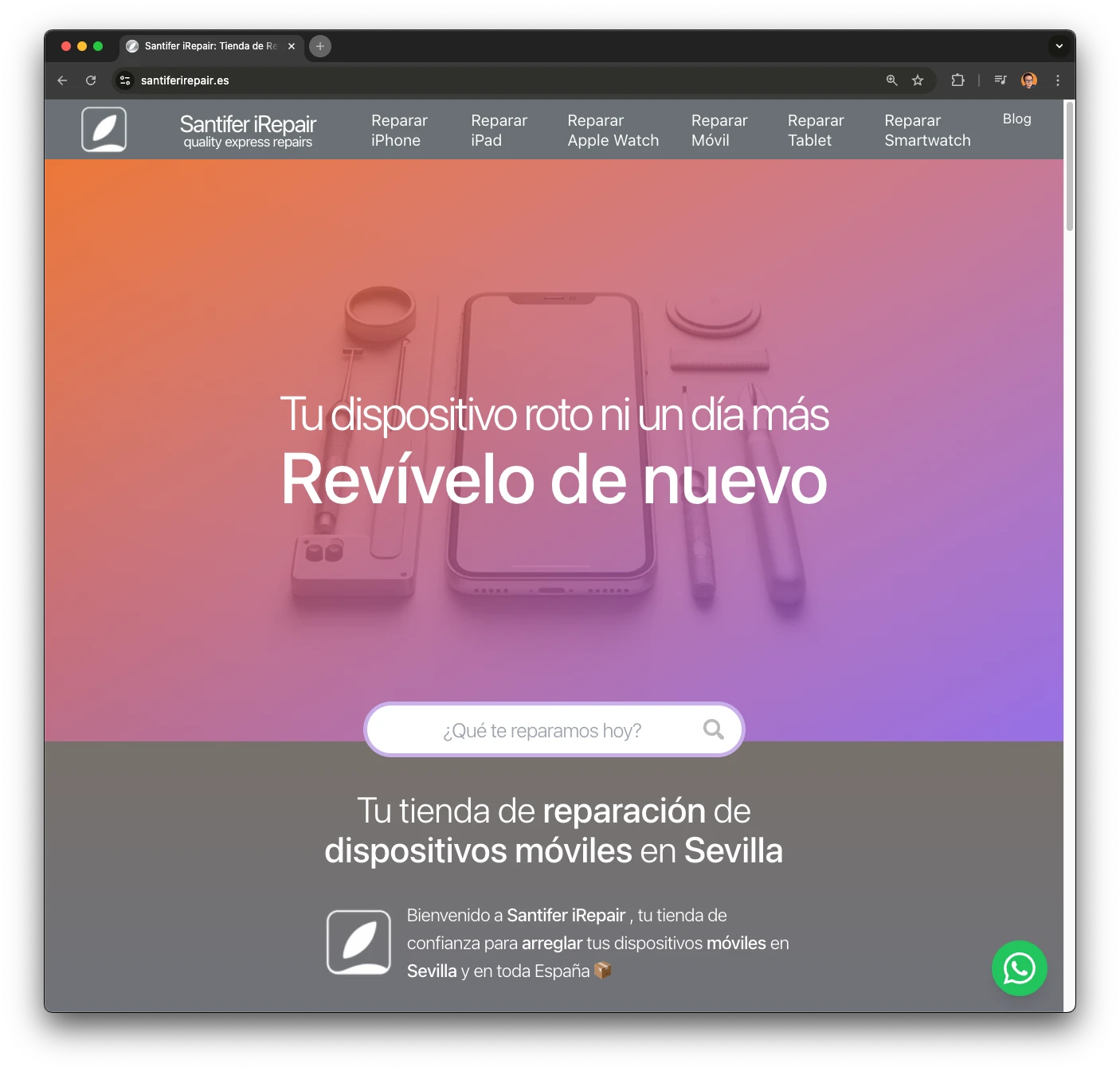
Two Strategies, One System#
The project started with national ambition, but Google has its own criteria. Repair searches have very strong local intent. Google prioritizes proximity results, so national pages without cities competed poorly. Solution: a dual strategy. Local pages for Seville (shop location) and niche national pages for specific repairs where location matters less.
Local Pages (Seville)
Combinations of device + brand + repair with "/seville". Google prioritizes these for proximity. They generate the most traffic.
National Pages (no city)
Niche repairs where location matters less. Moving the "change-{part}-{brand}-{model}" format captures informational searches that end as conversions.
The Architecture#
The system has four layers. Airtable works as a headless CMS with 14 tables and ~60 fields per table. The ERP feeds real production data. DataForSEO decides what to index. Astro generates static HTML with minimal JS — only for UX essentials (search, carousel), lazily loaded.
Airtable (Headless CMS)
14 tables, ~60 fields per table. 6-level hierarchy: Device type, Brand, Family, Model, Repair + local variants. Dual pricing, image inheritance, cascading social proof.
ERP (Production Data)
Feeds Airtable with real data: actual before/after photos, verified customer reviews, updated part stock. 867 models, 20+ brands, 15+ repair types.
DataForSEO (Decision Engine)
Queries actual search volume for every combination. The "indexable" field in Airtable is directly fed from this logic. No volume, no index.
Astro (Static Generation)
21 page templates. Generates static HTML with minimal lazy-loaded JS. 6 JSON-LD types per page. Image SEO with EXIF injection. Cloudflare CDN deploy.
URL Taxonomy#
The URL structure follows a logical hierarchy that mirrors the business inventory. This allows for powerful wildcard redirects and breadcrumb schemas.
/repair-{device}/{city}
[object Object]
/repair-{brand}/{city}
[object Object]
/repair-{brand}/{model}/{city}
[object Object]
/change-{part}-{brand}-{model}
[object Object]
Premium Apple Routes
For Apple devices, the intent is so high that I built dedicated premium branches with custom layouts.
// Apple premium route mapping
if (brand === "Apple") {
  renderPremiumLayout(model, city);
}
High Intent
Custom layouts for better conversion on top-tier devices.
The CMS Internals#
Airtable isn't just a spreadsheet on steroids. Here it functions as a full relational CMS. The key is the 6-level hierarchy reflecting actual business operations.
| Table | Purpose | Key Fields |
|---|---|---|
| Device Types | Root taxonomy level | slug, name, SEO description, menu order |
| Brands | Brands linked to device types | slug, name, logo, supported types |
| Families | Model grouping (e.g. iPhone 14 series) | slug, main image (inheritable), brand |
| Models | Specific devices with prices | slug, family, image (inherits if empty), year |
| Repairs | Repair types per model | slug, original price, compatible price, time, indexable |
| Local Variants | City-specific pages for local SEO | model + repair + city, adjusted price, availability |
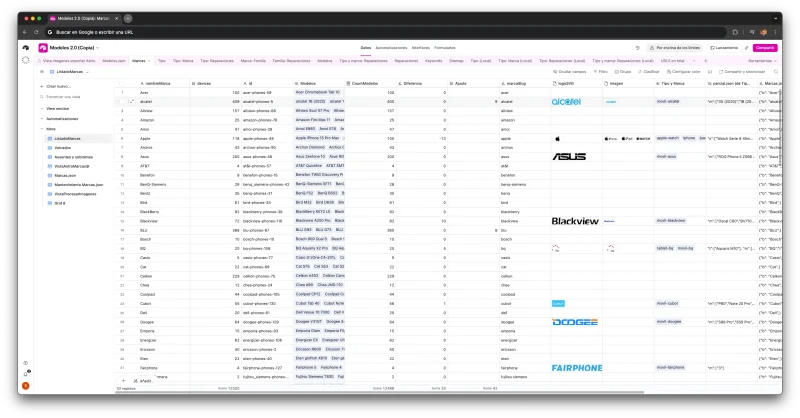
This 14-table CMS is part of a larger 12-base Business OS on Airtable managing inventory, CRM, accounting, and more. Read the full Business OS case study →
Key CMS patterns
Dual pricing
Each repair has original part price and compatible part price. User chooses on the landing.
Image inheritance
Models without photos inherit from their family. Reduces maintenance effort without leaving pages visual-less.
Cascading social proof
Reviews link at model, family, or brand level. An "iPhone 14 Pro" review appears on all repairs for that model.
Bridge mode
Discontinued repairs aren't deleted: they are marked "bridge" and 301 redirect to the closest alternative. Zero authority loss.
Page Anatomy#
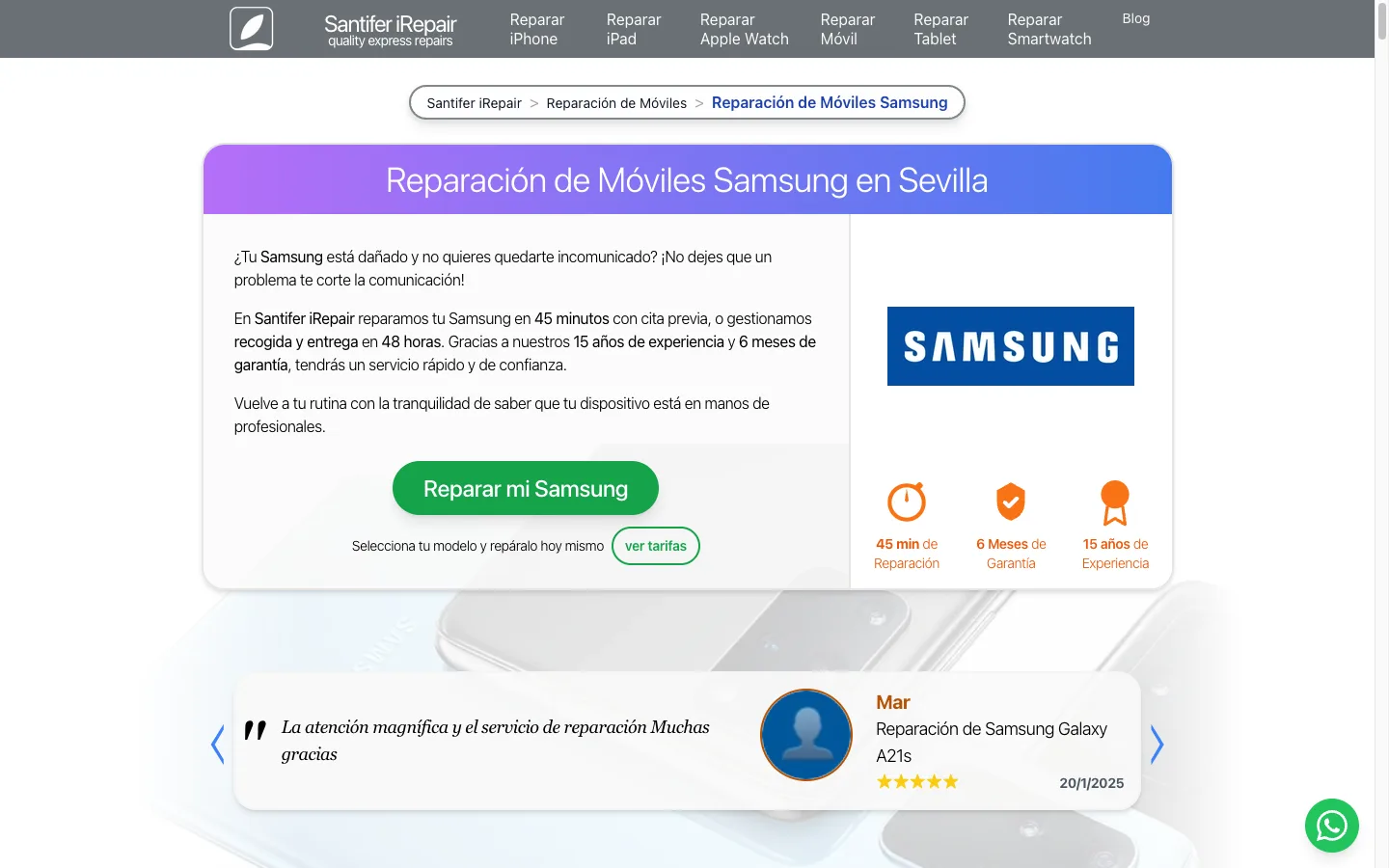
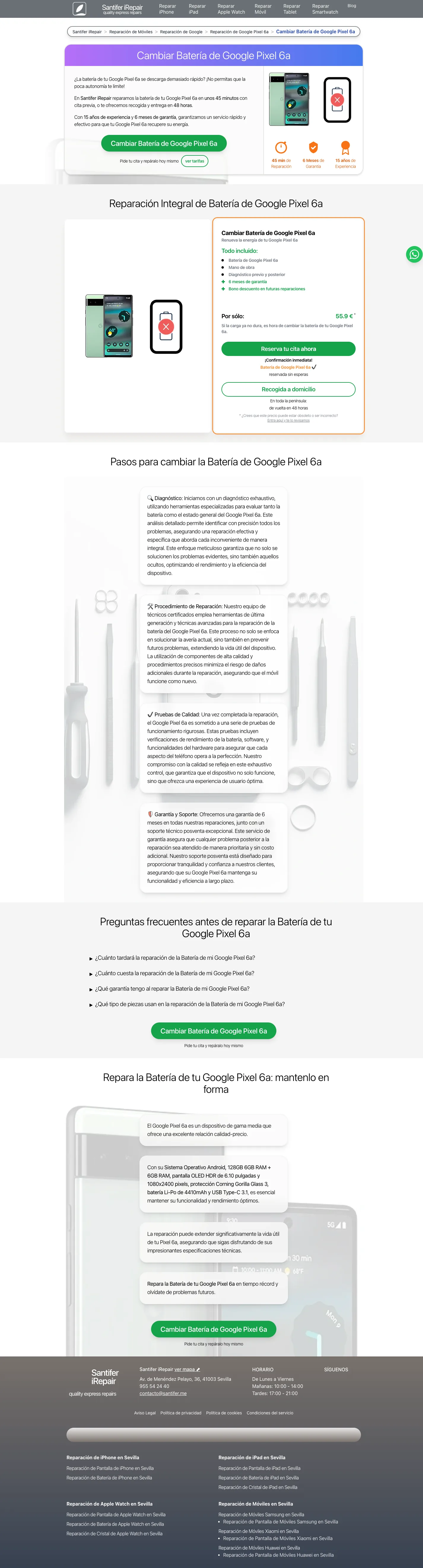
Each of the 4,700+ pages is generated from a template, but content is unique because it comes from the ERP. Not AI-generated filler: actual production data.
Breadcrumb + Schema
Hierarchical navigation reflecting the taxonomy. Auto-generates BreadcrumbList JSON-LD.
Real Prices
Original and compatible part prices updated from the ERP. User sees exactly what they will pay.
Estimated Time
Based on actual historical shop data. Not a generic estimate.
Before/After Photos
Real photos from completed repairs. EXIF-injected with geo and SEO metadata.
Verified Reviews
Actual reviews linked to model/family. Includes Review and AggregateRating schema.
6 JSON-LD Types
LocalBusiness, Product, Service, BreadcrumbList, FAQPage, AggregateRating. Full markup on every page.
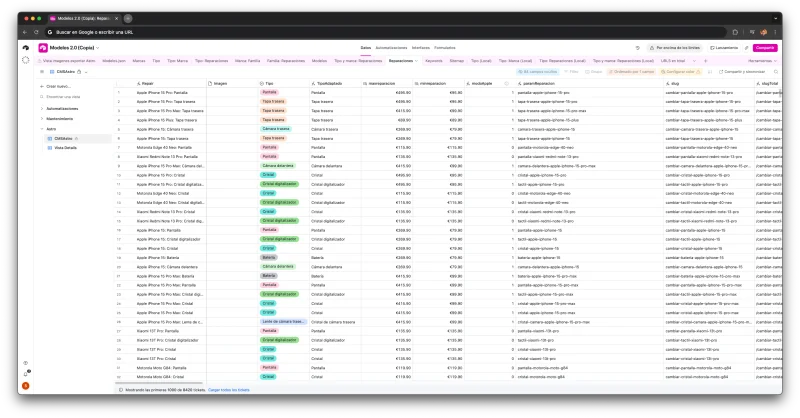
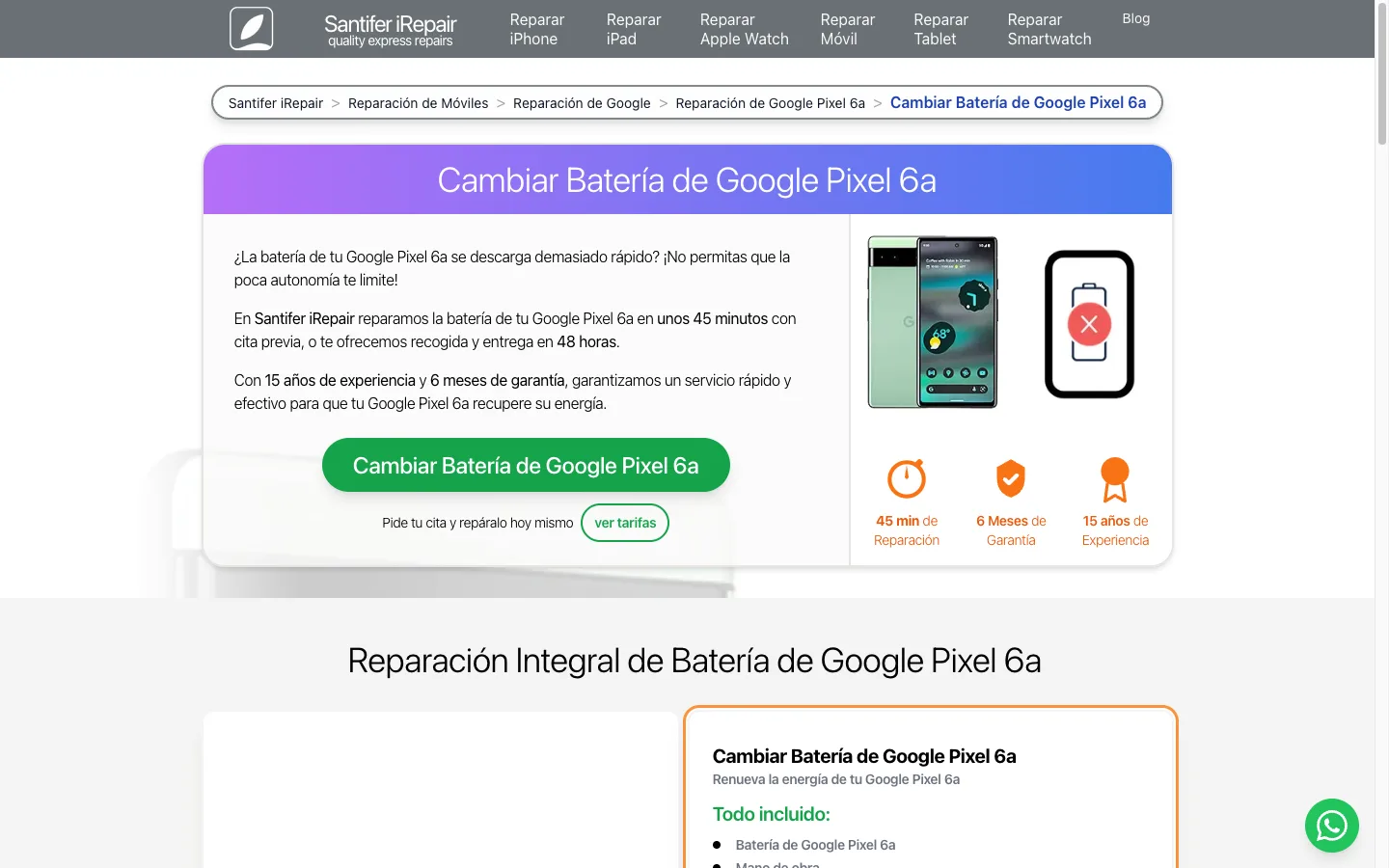
Conversion Flow per Page
Each page follows a conversion structure designed to move users from discovery to action:
Hero with dual pricing (original/compatible) + direct booking CTA
Custom model specs: camera, battery, device technologies
Gallery of actual before/after photos
Verified customer reviews linked to model or family
FAQ generated from ERP data (real customer questions)
Final CTA with shop map and booking button
A user searches "repair iPhone 14 Pro screen Seville". They reach a page with pricing (€189 original / €89 compatible), 45-min time estimate, 3 real repair photos, and 12 verified reviews. All info to decide is right there.
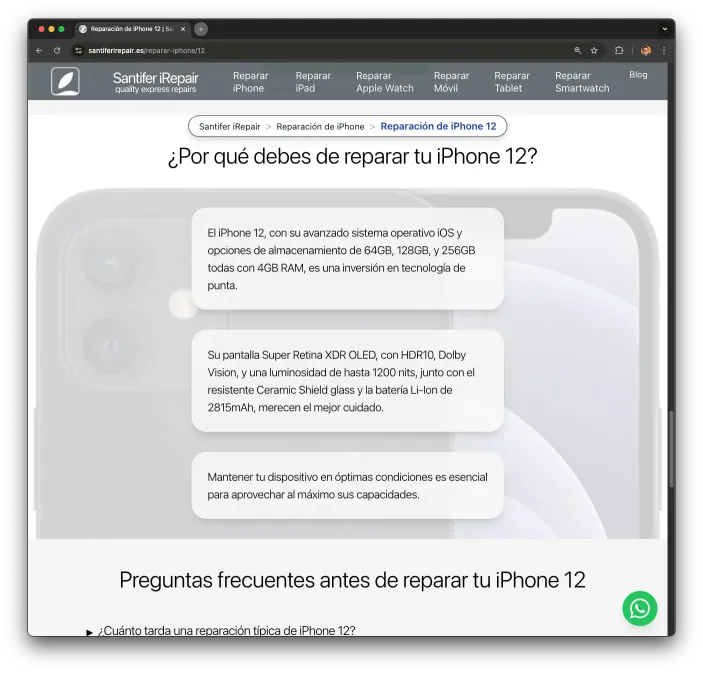
Model-Dynamic Copy
Each device model has unique microcopy generated from its real hardware specs. An Airtable field stores technical features (camera, battery, chip) and a prompt generates unique text per model. An iPhone 14 Pro highlights its 48MP camera and ProMotion display. A Pixel 7a highlights its Tensor chip. Not generic content: hardware-specific data on every page.
ERP-Synced Prices
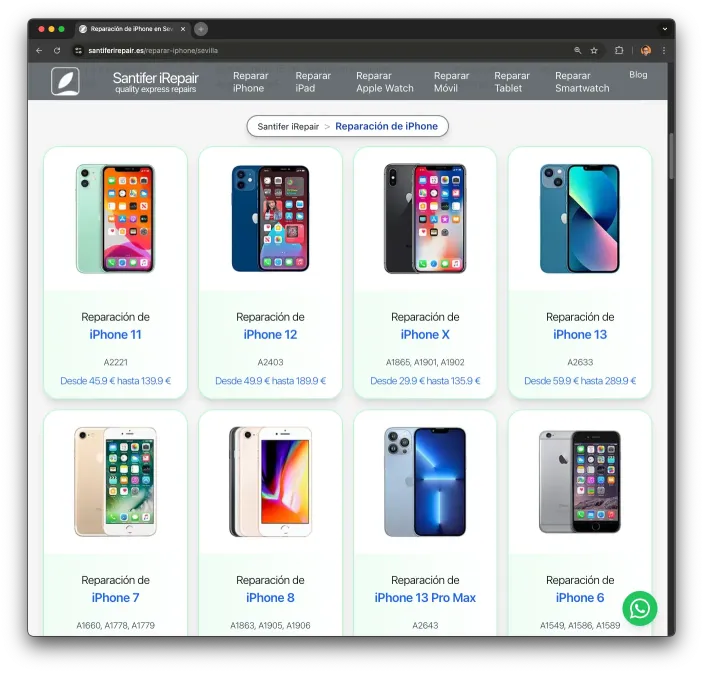
The same CMS syncing copy also syncs prices in real-time. Airtable bridges the ERP (where part costs and margins live) and the web. Each model shows a price range calculated from its available repairs. When an ERP cost changes, the site regenerates with updated prices — zero manual work.
Contextual Search
The search component isn't a simple text filter. It uses a custom scoring algorithm — no external libraries like Fuse.js. It scores 867 models: +20 for all words present, +30 for exact match, +10 for "starts with", and penalizes extra words. Result: the 6 most relevant models, sorted by score.
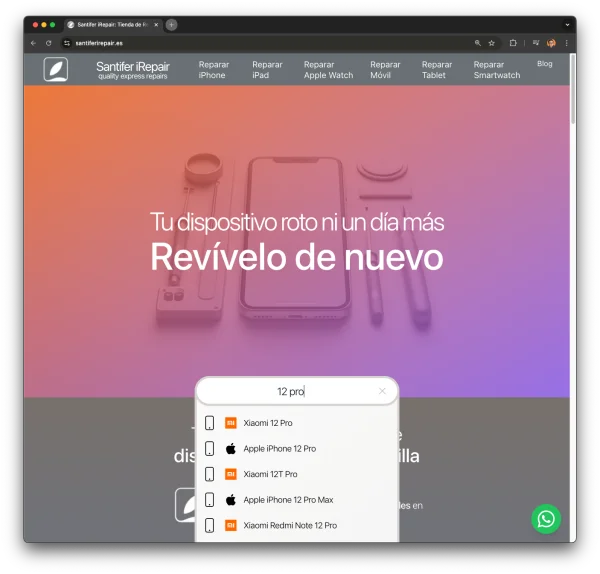
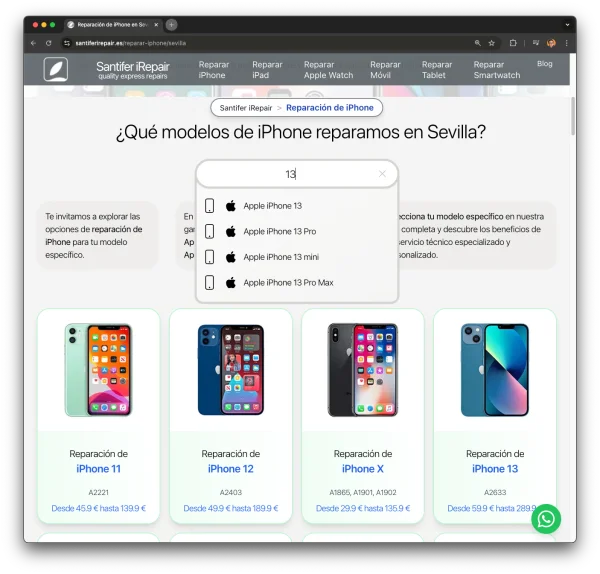
The search is context-sensitive. On the home page, it searches all 867 models. On the Samsung page, it only searches Samsung models. The same component, filtered by props (`filtroTipo`, `filtroMarca`). Models load on first focus and cache in localStorage for instant subsequent searches.
The algorithm in 30 lines with zero dependencies:
The Decision Engine#
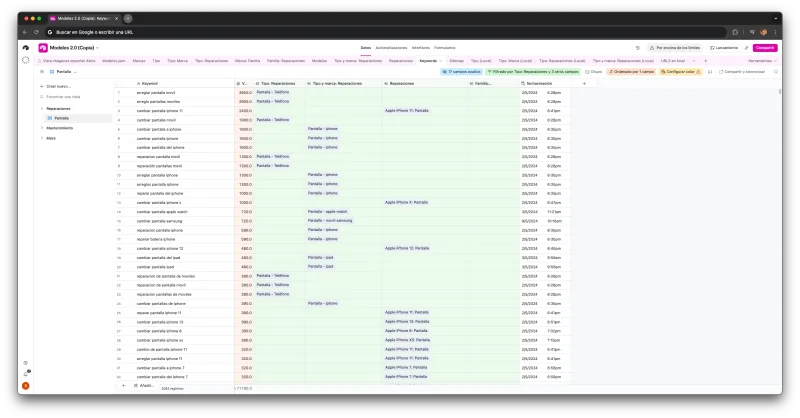
The system generates thousands of pages (far more than the 4,730 with traffic), but not all deserve indexing. If no one searches for "repair iPhone 11 front camera", that page shouldn't compete in Google — but it must exist for users navigating from the iPhone 11 page. The decision engine queries DataForSEO for real search volume, storing the result in Airtable's "indexable" field.
High search volume (DataForSEO) → Indexable page
If keyword volume is significant, page is "index, follow", included in sitemap, and prioritized for internal linking.
Low or no search volume → Noindex page (UX only)
Page exists for user navigation but is "noindex" and excluded from sitemap.
No ERP service data → Page not generated
If no real data (price, availability) exists, page isn't created. Zero thin content.
Discontinued repair → Bridge redirect
Page is marked "bridge" and 301 redirects to closest alternative to preserve authority.
Thousands of pages total. 4,084 in the sitemap as indexable. 4,730 received Google impressions. The rest exist solely for UX.
Crawl Budget Management#
With thousands of potential pages, I needed an algorithmic way to decide which ones warranted indexing to not waste Google crawl budget on low-value URLs.
Volume Filtering
Only pages with >10 searches/mo are indexable.
Sitemap Pruning
Dynamically generated sitemap excludes non-indexable URLs.
Internal Link Priority
High-value pages get 3x more internal links.
Safe Noindex Pattern
A data field in Airtable, fed by DataForSEO volume checks, controls the meta robots tag:
if (!isIndexable) {
  return <meta name="robots" content="noindex, follow" />
}
Smart Indexing
Low volume pages still exist for UX but don't clutter the index.
Google only sees the 4,730 most valuable pages. The other 10k+ exist only for direct navigation.
Build Pipeline#
The pipeline transforms CMS data into a static site. Everything is automated. schema.ts has 1,677 lines mapping Airtable hierarchy to Astro types.
Airtable API
Data extraction with retry and exponential backoff
Schema Mapping
1,677 lines transforming the 6-level hierarchy into TypeScript types
Review Cache
Reviews cached in-memory once to prevent redundant API calls during build
getStaticPaths
Generates static routes from the full taxonomy
ReparacionLayout
21 templates rendering based on taxonomy level
Astro SSG
Static build with minimal lazy-loaded JavaScript
Optimization
Image compression, EXIF injection, filtered sitemap, internal linking
Cloudflare CDN
Global edge caching and deploy
Inside the Image Pipeline#
The parametric generation process in detail: templates, composition code, and the results across 867 models.
Overlay Templates
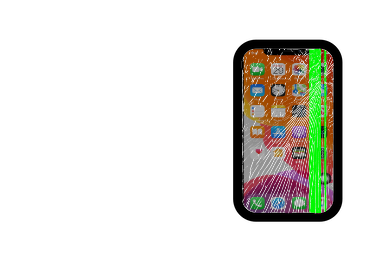
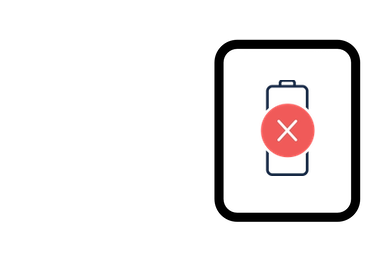
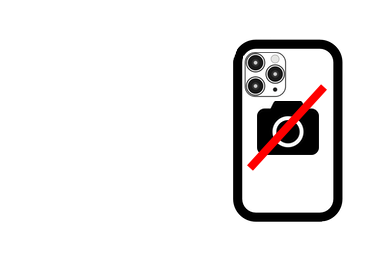
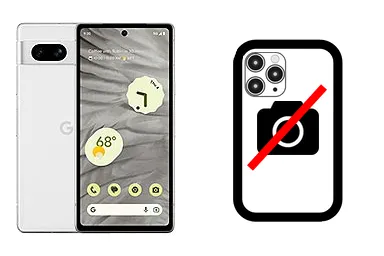
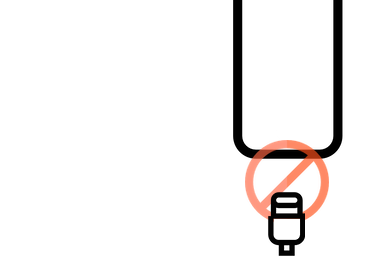
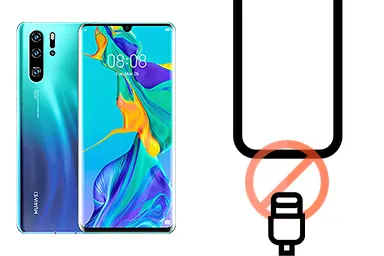
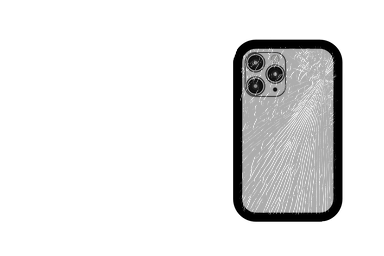
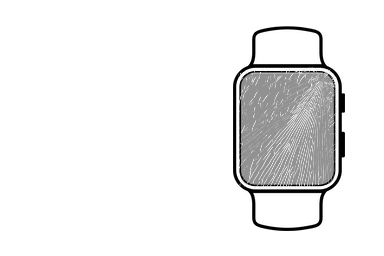
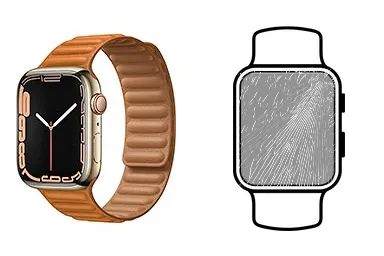
Each repair type has a 384x256 PNG overlay showing what part is being repaired (cracked screen, battery, etc.). 17 templates designed to composite over any device photo.



The Composition Process
Automatic 6-step generation using Node.js and Sharp.js:
Download device photo
GSM Arena source photo is retrieved and cached.
Create 384x256 canvas
White base with alpha channel created via Sharp.
Composite PNG overlay
Repair template (screen, etc.) layered onto the canvas.
Center device at x=96
Device photo resized and centered, leaving room for the overlay visual on the right.
Export to WebP
Optimized WebP export, ~5-8 KB per image.
Repeat x17 variants + hero
Total of 18 images per model.
The Sharp.js Pipeline
The generation logic uses the Sharp library for high-speed image composition and WebP optimization.
// Parametric generation pipeline
await sharp(base)
  .composite([{ input: overlay }])
  .webp()
  .toFile(output);
Performance
Handles thousands of images in minutes.
1 Photo → 18 Variants
A single device photograph serves as the base for 18 automatic variants — one for each repair type plus the hero image.


Base photo

Screen repair

Battery repair
1 device photo → 18 static variants. Automatic composition via Node.js + Sharp.
Cross-Device Scale
The same composition logic applies to every brand and model in the ERP. From iPhones to obscure Android models, the visual quality remains consistent.


IMAGE SCALE
15,500+
Generated images
Static variants
14,000+
Alt texts
Dynamic mapping
5-8 KB
Avg size
Optimized WebP
EXIF
Geo-SEO
Metadata signals
Review Automation#
A static site is only as good as its social proof. The review pipeline ensures every new verified customer review from the ERP propagates to the site automatically.
Source Sync (ERP → Airtable)
Reviews are fetched via the ERP API and mapped to the model hierarchy in the CMS.
| Field | Source | Mapped to |
|---|---|---|
| Rating | GMB API | Numerical field |
| Date | ISO String | Formatted date |
| Text | Review body | Prose field |
| Author | Display name | Masked name |
Review Image Processing
Automated workflow for customer profile photos:
Metadata extraction
Extracting rating and date from ERP payload.
Privacy blurring
Automated face/ID detection and blurring.
Format optimization
Conversion to ultra-light WebP avatars.
The Review Pipeline Code
Node.js scripts process the review payload and generate the static JSON assets.
// Process reviews
const reviews = await fetchERPReviews();
await generateReviewAssets(reviews);
Automation
Zero manual work for new reviews.
Content Cascade: One Review, Six Pages
The system inherits content through the taxonomy hierarchy. An "iPhone 12 screen repair" review propagates to every relevant page in the branch:
Model + repair + city level
Family + repair + city level
Brand + repair + city level
The Review Profile
Airtable automated profile: downloads photos, blurs customer details, and generates WebP thumbnails.


Airtable automated profile: downloads photos, blurs customer details, and generates WebP thumbnails.
CAROUSEL CRO
Real reviews are not just text. They are proof. My system links every review to the specific model, family, or brand level in the taxonomy.
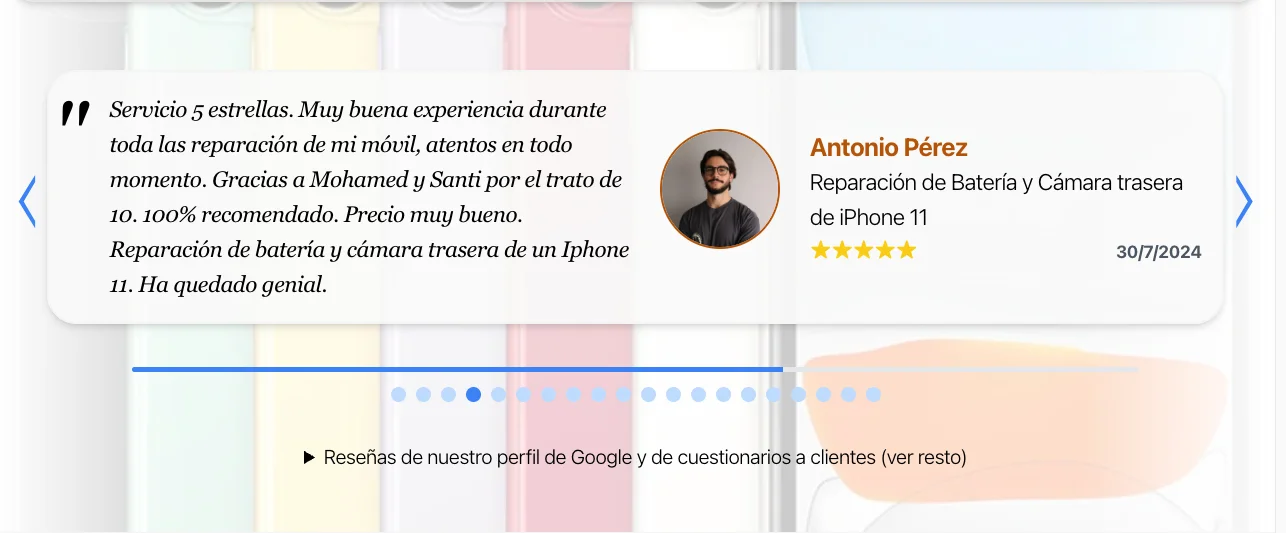
1 / 5
Real reviews linked to the specific model the user is viewing. Higher trust than generic testimonials.
SOCIAL PROOF AT SCALE
3,800+
Verified reviews
Linked to CMS
4.9/5
Avg rating
Across all models
100%
Automated
Sync to frontend
Social
Cascade
Proof multiplier
Before/After Photo Pipeline#
Static model photos are not enough. High-intent users want to see that you have actually repaired their specific device.
The Capture Protocol
Every technician followed a strict 3-photo workflow within the ERP:
Frontal Before
Showing the original damage (cracked screen, etc.)
Frontal After
Showing the completed repair and a diagnostic test result.
Internal/Rear After
Showing the quality of the internal work or the replacement part.
GDPR Compliance: Customer data is blurred or removed from all screens before processing.
Image Processing Pipeline
A Node.js script processes the thousands of raw photos from the ERP:
WebP conversion
Reduces size by 70% while maintaining visual fidelity.
Auto-blurring
Identifies and blurs potentially sensitive data.
SEO injection
Injects GPS coordinates and model-specific metadata into EXIF.
The Processing Code
The pipeline uses sharp for image manipulation and piexifjs for local SEO signals.
// Image composition example
await sharp(basePath)
  .composite([{ input: overlayPath }])
  .webp({ quality: 80 })
  .toFile(outputPath);
Sharp.js
High-performance image processing for Node.js.
Real Data Demo
This is not a mock. These are real photos from the production database.


Cross-Device Scale
The same pipeline works for 867 different models across all brands.


10,000+ real photos processed. Automated resizing, blurring, and EXIF injection.
10,000+ PHOTOS
10,240
Repaired photos
In database
26,000+
Total images
Generated
7.8 GB
Total storage
Optimized WebP
Local
SEO signals
EXIF injected
Growth Curve#
Launched October 2024. Traffic stayed flat early 2025 due to a restructuring: I redirected broad national pages to specific local ones (/seville) once it became clear Google highly prioritized geographic intent for this domain. Once the hierarchy consolidated, growth exploded to the September 2025 peak.
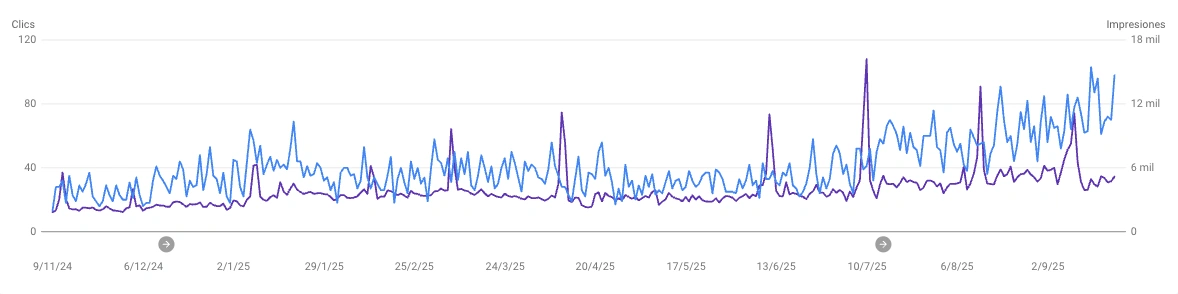
| Month | Clicks | Impressions | |
|---|---|---|---|
| Oct 2024 | 202 | 16,420 | Launch |
| Nov 2024 | 748 | 69,054 | |
| Dec 2024 | 949 | 77,387 | |
| Jan 2025 | 1,277 | 110,836 | |
| Feb 2025 | 1,045 | 111,811 | Redirect strategy shift |
| Mar 2025 | 1,058 | 120,563 | |
| Apr 2025 | 1,109 | 139,190 | |
| May 2025 | 1,199 | 172,605 | |
| Jun 2025 | 1,281 | 181,512 | |
| Jul 2025 | 1,792 | 226,955 | Consolidation |
| Aug 2025 | 2,055 | 298,491 | |
| Sep 2025 | 2,193 | 322,409 | System sold |
Programmatic SEO is a compounding engine. Each repair tracked in the ERP strengthens thousands of pages via the social proof cascade. The system was a key asset in the 2025 business sale.
The Results#
In 12 months, organic traffic went from near-zero to over 300,000 monthly impressions. More importantly, it captured high-intent transactional queries that were previously dominated by marketplaces.
320K+
Monthly Imp.
Sept 2025
4,730
pSEO Pages
Airtable-driven
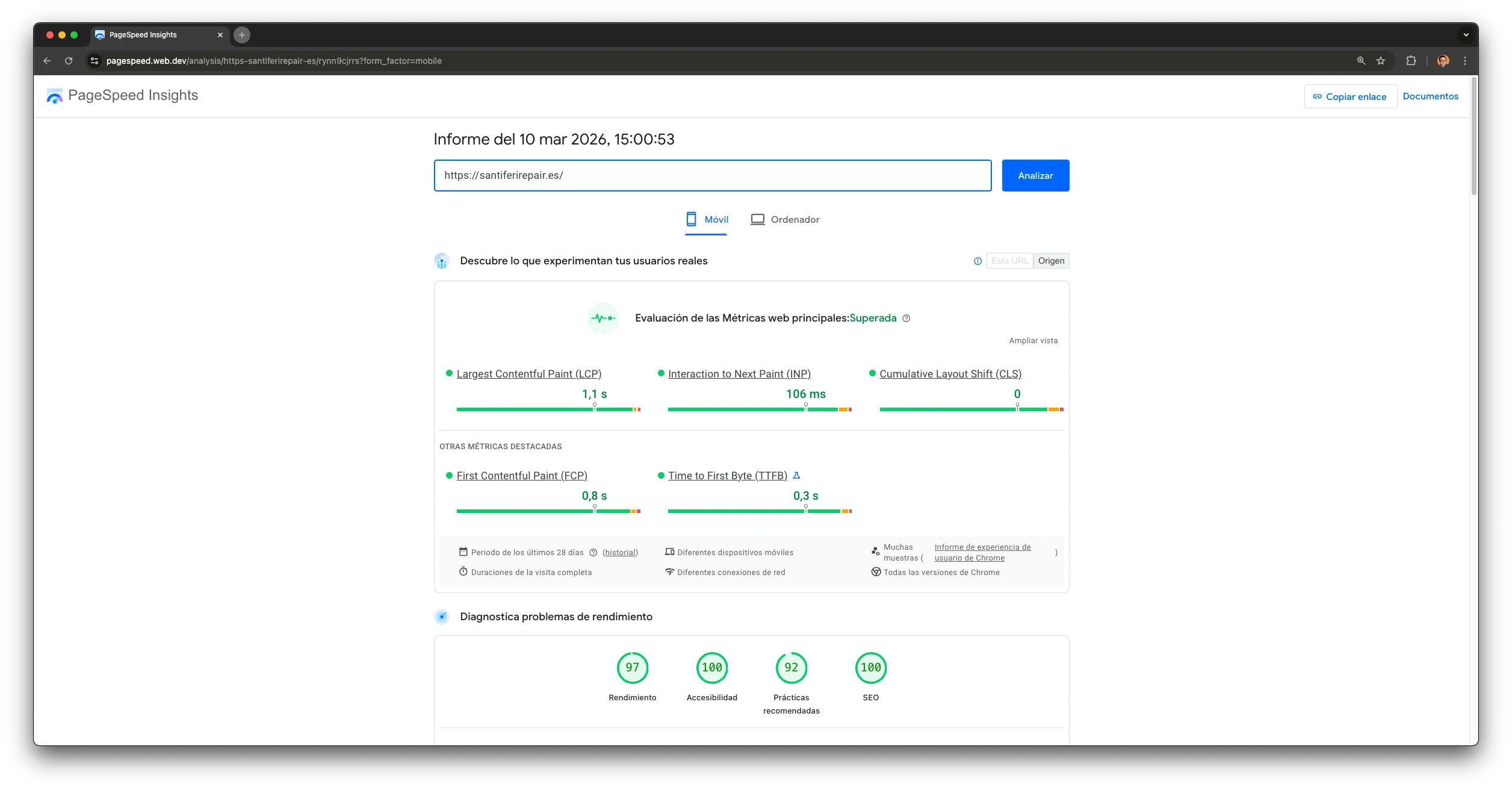
97/100
Lighthouse
Mobile Perf
2025
Exit
Strategic Sale
But to understand how we got here, we have to look at the starting point: a legacy site that was invisible to Google.
The Starting Point#
The business website had been on Squarespace for years. No URL control, no canonical tags, no custom redirects. What was coming wasn't just a platform change — it was a triple migration: platform (Squarespace → Astro), domain (jinank.me → santiferirepair.es), and hosting (Squarespace → Vercel/Cloudflare). The first step was documenting exactly what needed fixing: a full technical audit of 144 pages, conducted as my Master's Thesis for the Big SEO program.


Squarespace served the same page on 4 different URLs (www, non-www, trailing slash, .html). Google saw 4 copies of every page.
The Technical Audit
The first step was a full technical audit, performed as my Master's Thesis for the Big SEO program. 144 pages documenting every technical aspect of the site: from traffic health to meta descriptions.
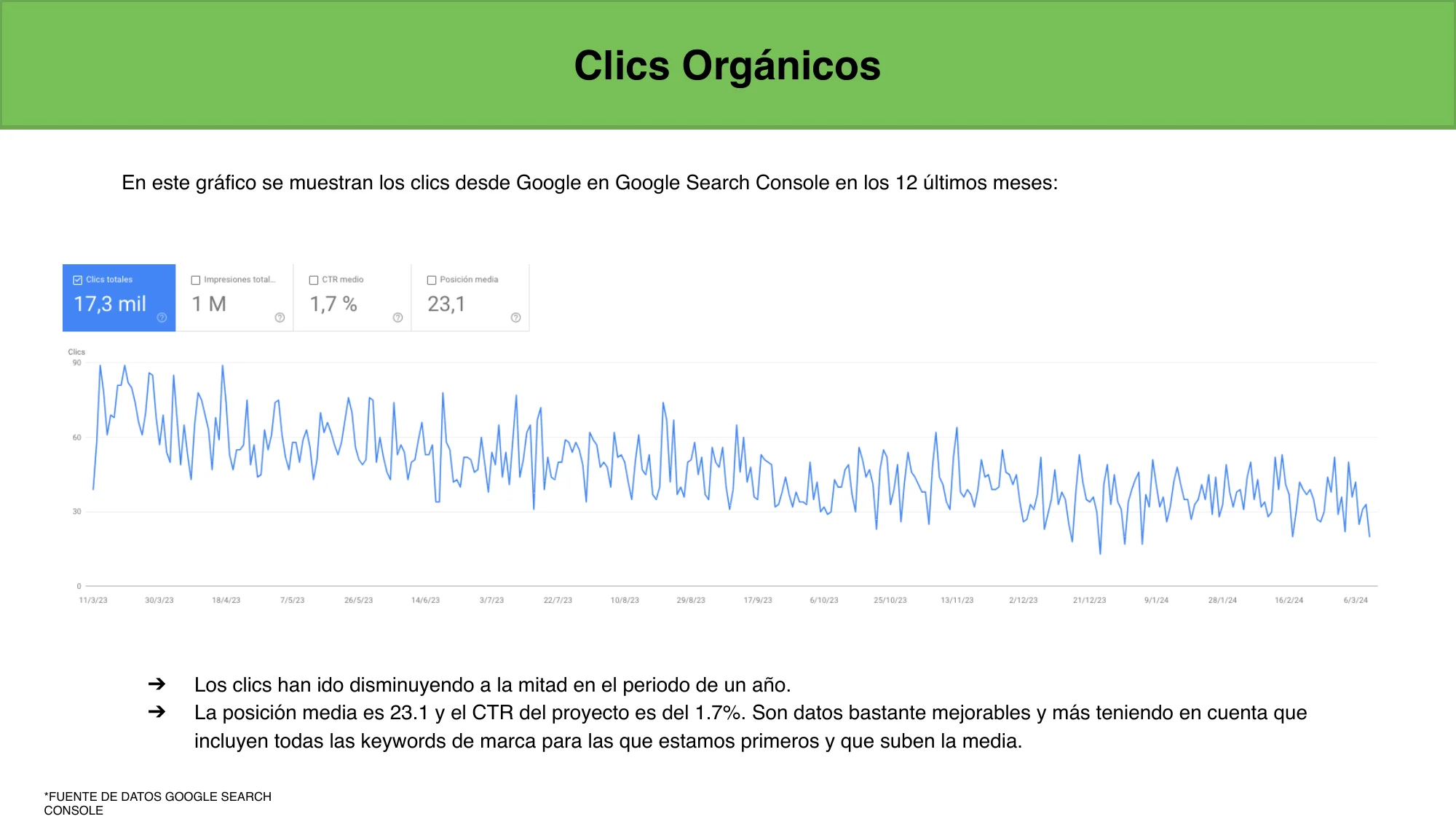
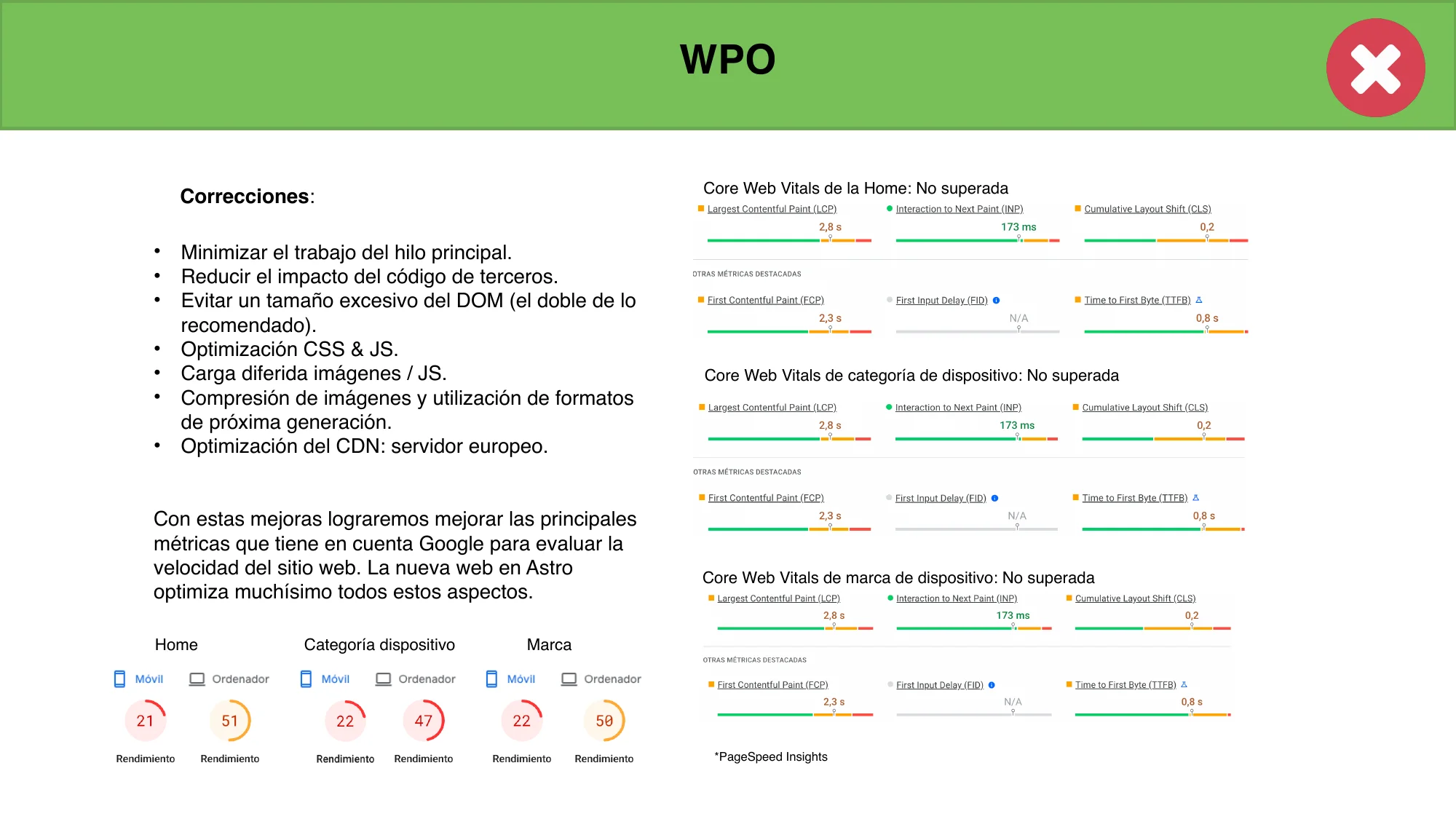
23.1
Avg position
↓ Decline
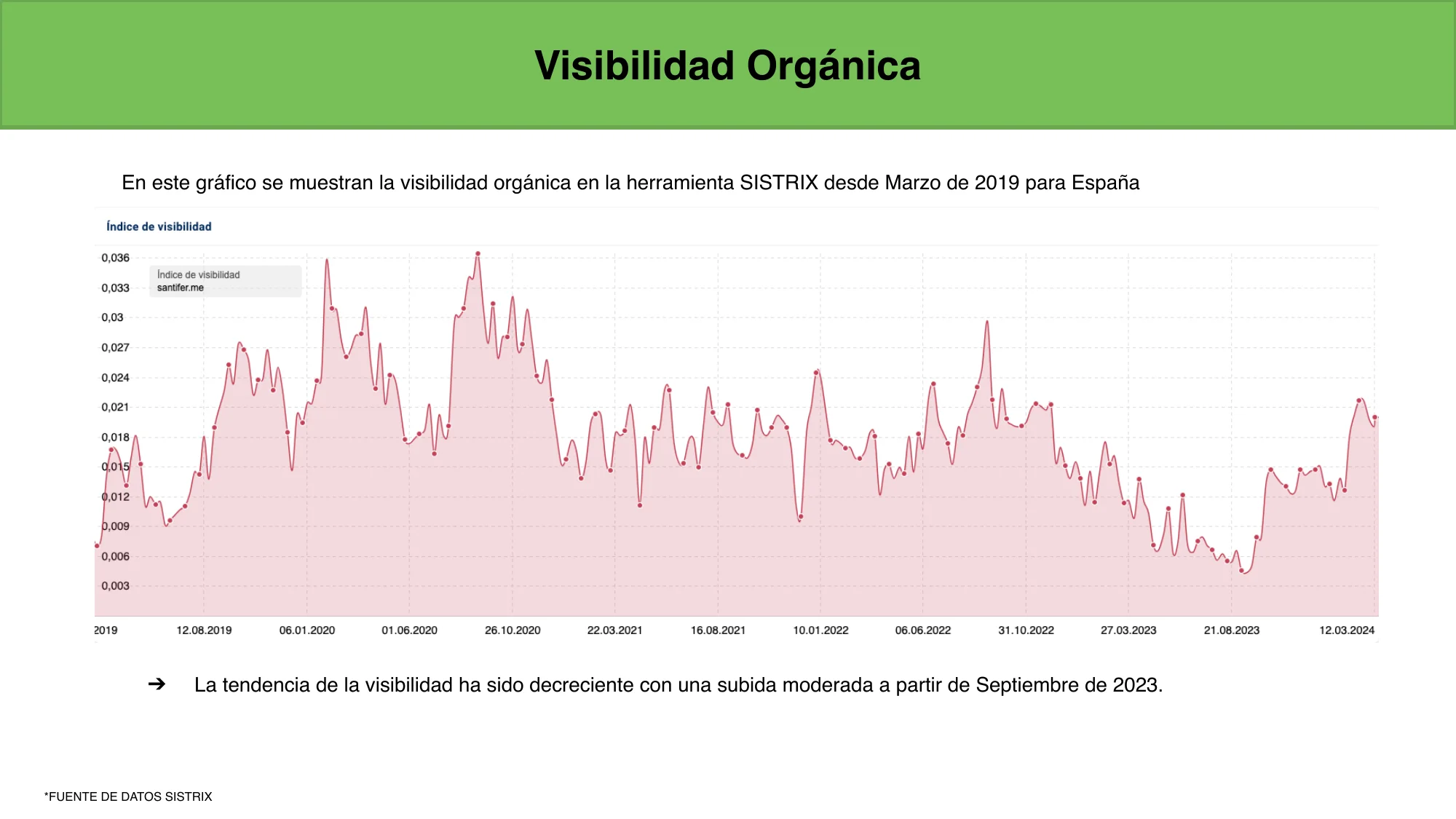
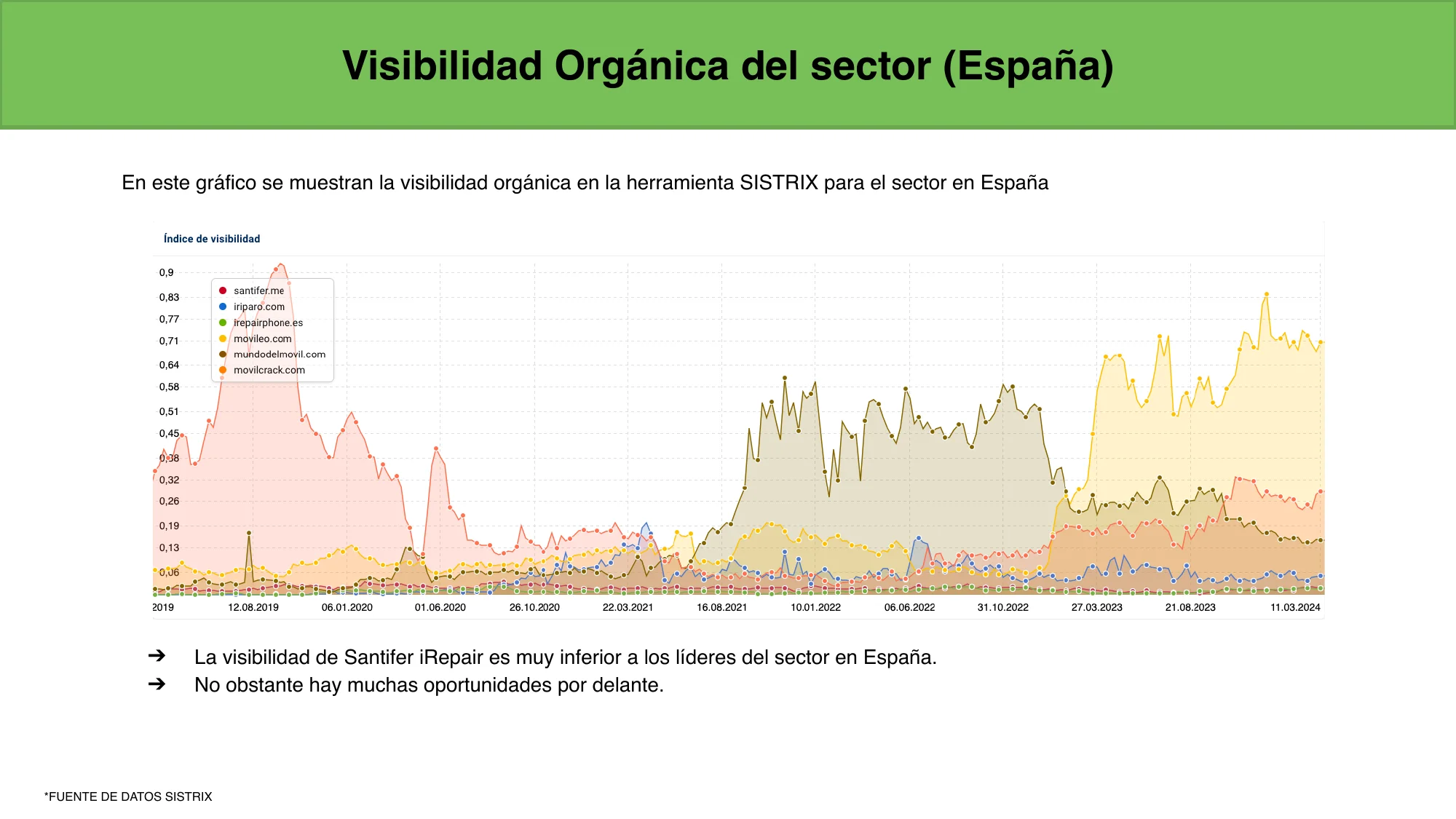
SISTRIX visibility
21/100
Lighthouse (Mobile)
33/40
Items with errors
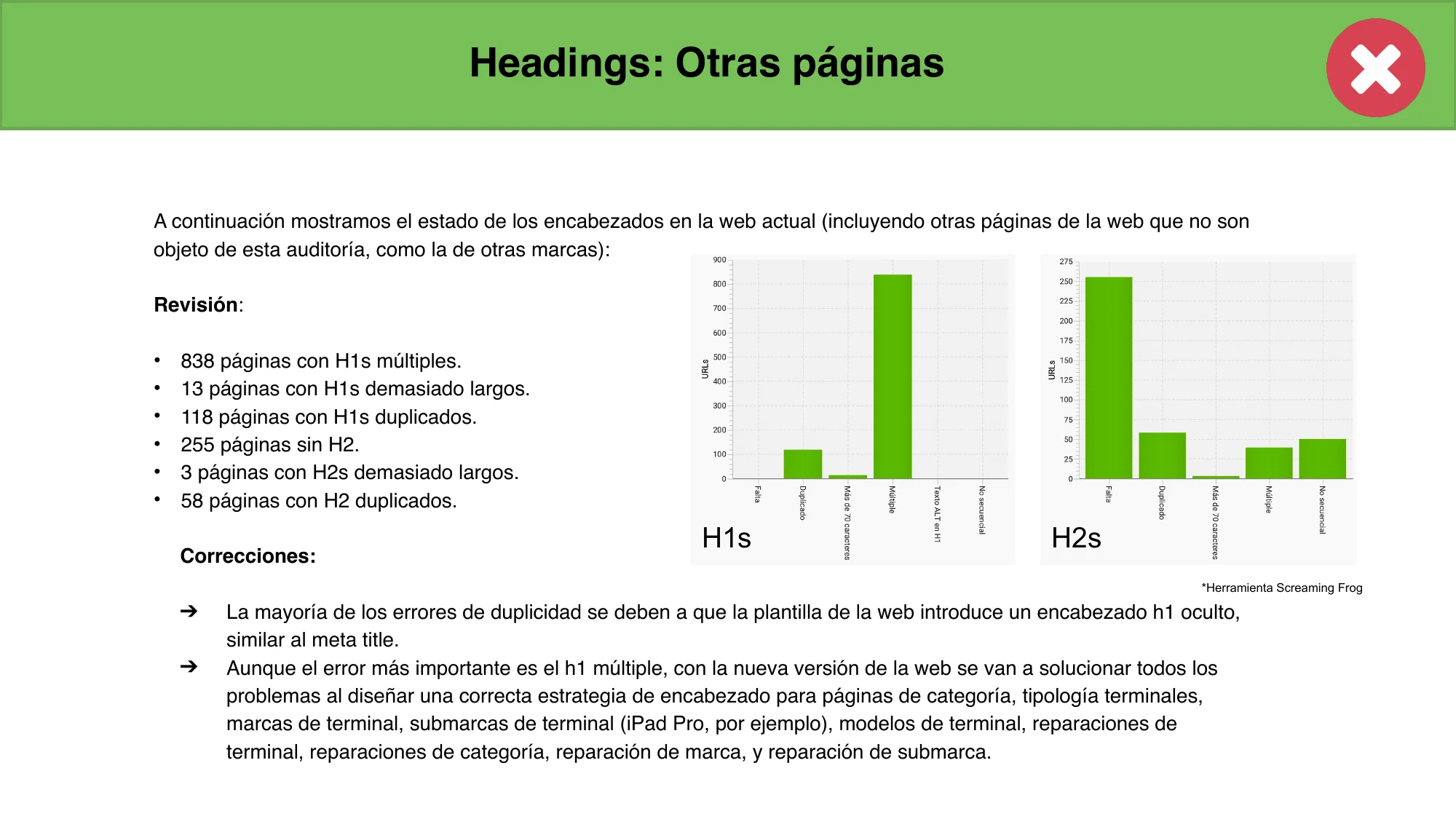
838 duplicate H1s
The Squarespace template injected a hidden H1 on every page, doubling the main heading. Google saw two titles competing for relevance.
1,015 cannibalizations
Pages competing with each other for the same keywords. Home, categories, and models stepped on each other in search results.
869 structured data errors
LocalBusiness schema didn't follow schema.org recommendations. Google couldn't correctly interpret business information.
831 non-canonical pages
Squarespace served 4 URLs per page without redirecting to the canonical one. GSC reported them as duplicates without canonicals.
33 out of 40 technical aspects audited had errors. Only 7 passed. The audit didn't just diagnose problems — it became the roadmap for the entire project.
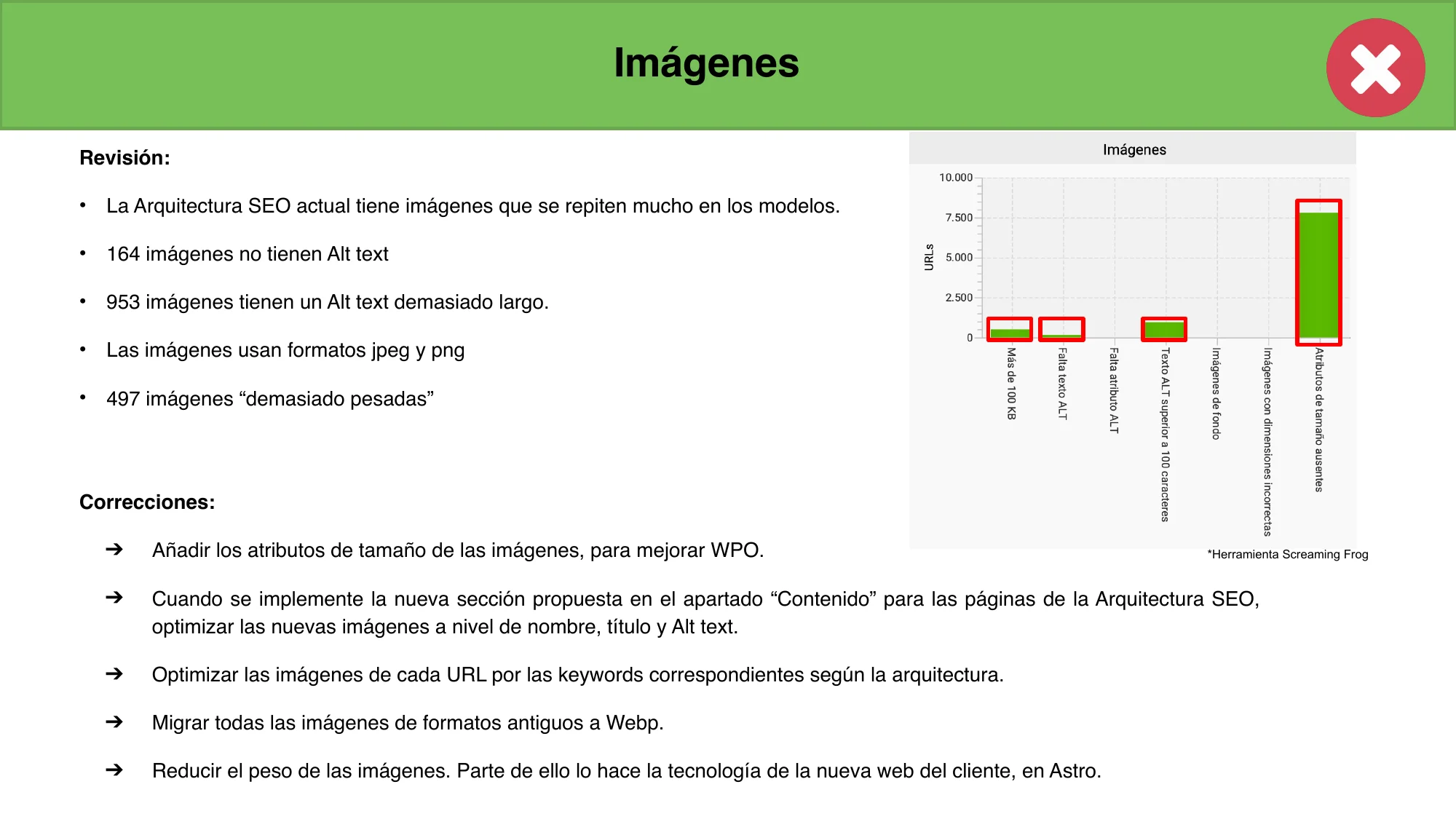
The Technical Issues
No canonical tags
www vs non-www, with/without trailing slash, with/without .html. Same page, 4 URLs. 831 non-canonical pages in GSC. Squarespace indicated canonical but didn't redirect.
No custom redirects
Squarespace doesn't allow custom 301 redirects. 266 historical URLs giving 404s in GSC. Impossible to map old URLs to the new structure.
No URL slug control
Business taxonomy already existed, but Squarespace generated redundant URLs like /reparar-iphone/reparar-iphone-x. 15 URLs over 115 characters, keyword repeated 3 times.
Duplicate content risk
1,015 detected cannibalizations. 79 pages with thin content. Non-canonical variants created confusing signals for Google, diluting domain authority.
The Migration
Full crawl with Screaming Frog
Identified 838 pages with multiple H1s, 266 404 URLs, and 1,015 cannibalizations. The mapping resulted in 1,009 redirect rules.
New URL structure in Astro
From ~80 pages to a 480+ page architecture optimized for 156,000 monthly transactional searches. Clean URLs: /repair-{device}/, /repair-{brand}/{model}/.
301 redirects in vercel.json
Dedicated project (redirect-server) deployed on Vercel solely to serve 301s. 190KB config file.
Smart intent-based redirects
Redirect national pages to local versions. Example: /repair-phone/repair-samsung → /repair-phone/samsung/seville.
The Redirect Server
The triple migration (platform, domain, hosting) required a plan to keep domain authority. The solution was a dedicated Vercel project whose only job was serving 301 redirects. A domain change catch: Squarespace didn't allow redirecting the homepage, blocking GSC address change validation. Double hop HTTP→308→301 prevented validation. Solved via Vercel Redirect Domain + Cloudflare Redirect Rules for a single direct 301.
1,009
Redirect rules
190 KB
vercel.json
4
Redirect levels
46
Commits in 7 months
Model → model
/repair-phone/repair-samsung/repair-samsung-galaxy-a12 → /repair-phone/samsung/galaxy-a12. Clean URL, same intent.
Brand → brand + city
/repair-phone/repair-realme → /repair-phone/realme/seville. New structure added city as a local signal.
Wildcard + catch-all
Any URL not mapped in tiers redirects to homepage. Zero 404s for users and Google.
An entire Vercel project just for redirects. 1,009 rules mapped by hand because the Squarespace structure lacked a uniform pattern.
Implement redirects before asking for the change in Google Search Console. Not after. Order matters.
The Cost of Migrating
Every migration has a transition cost. 800+ pages took time to reindex, and key keywords temporarily dropped — "repair iphone seville" fell from top 2 to position 6. Expected: Google needs time to reevaluate a domain change. Recovery arrived.
100
Performance
92
Accessibility
96
Best Practices
100
SEO
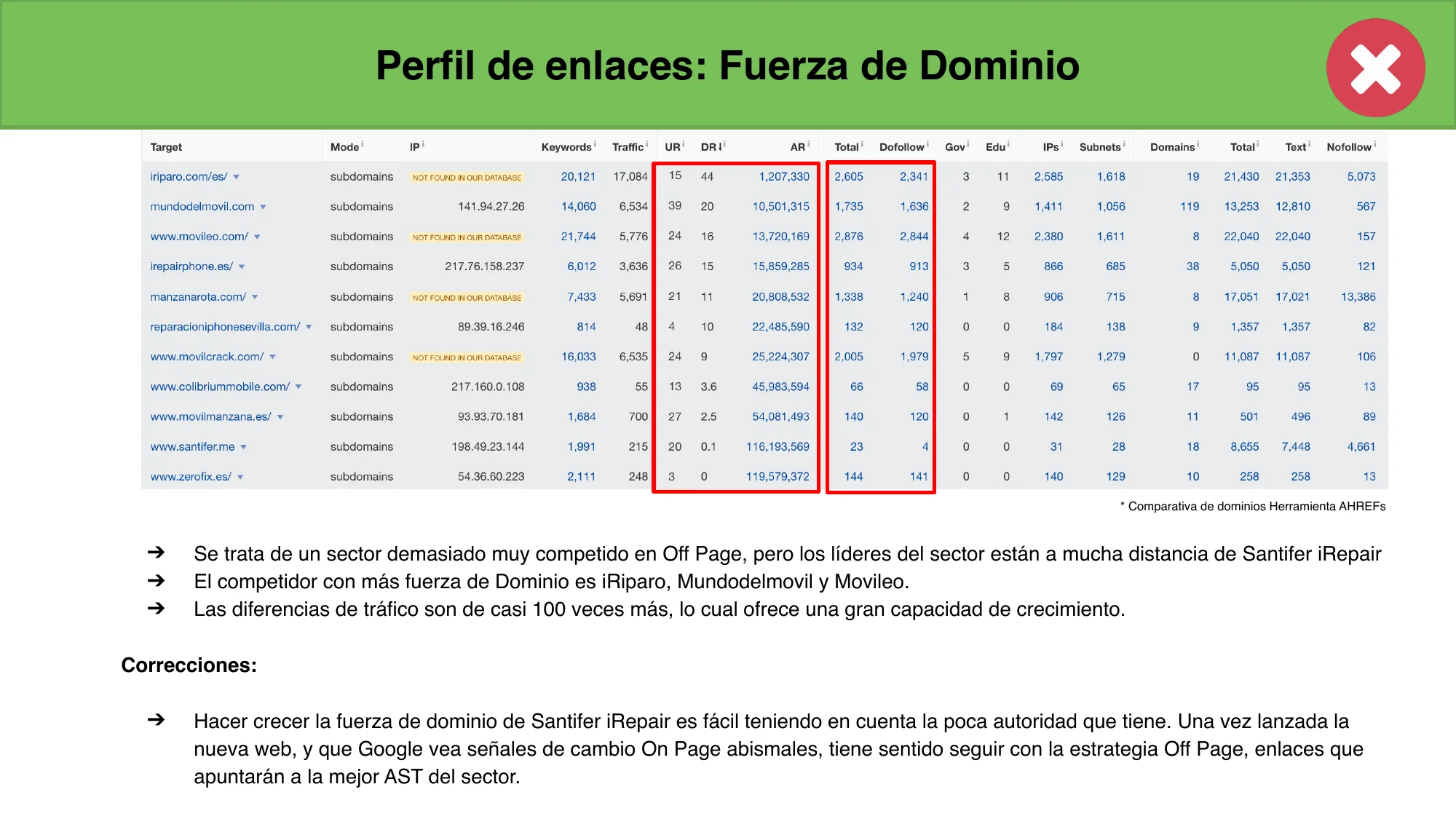
From a 21 Lighthouse on Squarespace to 100 on Astro. From DA 8 to competing where leaders have 100x more traffic. The audit documented 33 issues; the migration solved them all.
The Stack#
Purely static architecture with minimal lazy-loaded interactivity.
Astro
Main engine (SSG)
React
UX components
TypeScript
Logic safety
Airtable
Headless CMS
Cloudflare
CDN & Deploy
Lessons Learned#
SEO is for Google, UX is for users.
Don't index everything. Use DataForSEO to decide what deserves a spot in the sitemap. Keep noindexed pages for a seamless internal user experience.
Real production data beats AI generation.
Transactional queries want facts (prices, times, photos). Content generated by LLMs without production data lacks the specific signals users look for when choosing a service.
Triple migration needs a redirect bunker.
platform, domain, and hosting change at once is high risk. The dedicated redirect project on Vercel with 1,009 rules saved the historical authority.
Build logic into the CMS, not just the code.
Hierarchical inheritance in Airtable (slugs, pricing, images) simplified the build pipeline. The CMS should reflect the business model, not just hold the data.
Automation is the multiplier.
Scripts for image composition and EXIF injection allowed a solo person to out-perform agencies with 10x the headcount.
What This Demonstrates
Systems Thinking
Transforming complex business logic into an automated acquisition engine.
Architecture Scale
Managing 4,700+ pages with a solo-person pipeline.
Data-Driven SEO
Using external APIs to make decisions on what content deserves indexable authority.
The same ERP powers an AI agent
The Airtable data that generates these 4,700+ pages is also queried by Jacobo, an omnichannel AI agent that handles WhatsApp and phone. Same source of truth, two acquisition channels.
Ready to build your programmatic moat?
I am currently accepting select projects for pSEO architecture and AI agent implementation. Let's talk about how to turn your data into an acquisition engine.
FAQ#
Does it only work for Seville?
Local pages focus on Seville because that's where the physical shop was, and Google local results are proximity-based. National pages (/change-{part}-{brand}-{model}) work without geographic limits and capture niche queries across Spain.
Why didn't you use AI for content?
Because the competitive edge is that the data is real. Prices from ERP, actual before/after photos, verified reviews. AI copy sounds okay but lacks production data. The blog used AI (with NotebookLM podcasts), but pSEO landings are data-driven.
Does Airtable scale for 4,700+ pages?
Yes, with a build pipeline (not real-time queries). Retry with backoff on the API and in-memory review caching are key. For larger scale, Supabase or Postgres would be the next step.
How are pages kept up to date?
When an ERP price changes, Airtable updates. The next build regenerates affected pages. New reviews propagate automatically. Zero manual content maintenance.
Why Astro over Next.js?
For 100% static sites with lazy-loaded interactivity, Astro generates pure HTML. Sub-1s loads, native excellent Web Vitals, and simple Cloudflare CDN deployment.
What does DataForSEO do?
It provides real search volume per keyword, stored in Airtable's "indexable" field. It's the decision engine that prevents diluting domain authority with pages Google would ignore.